
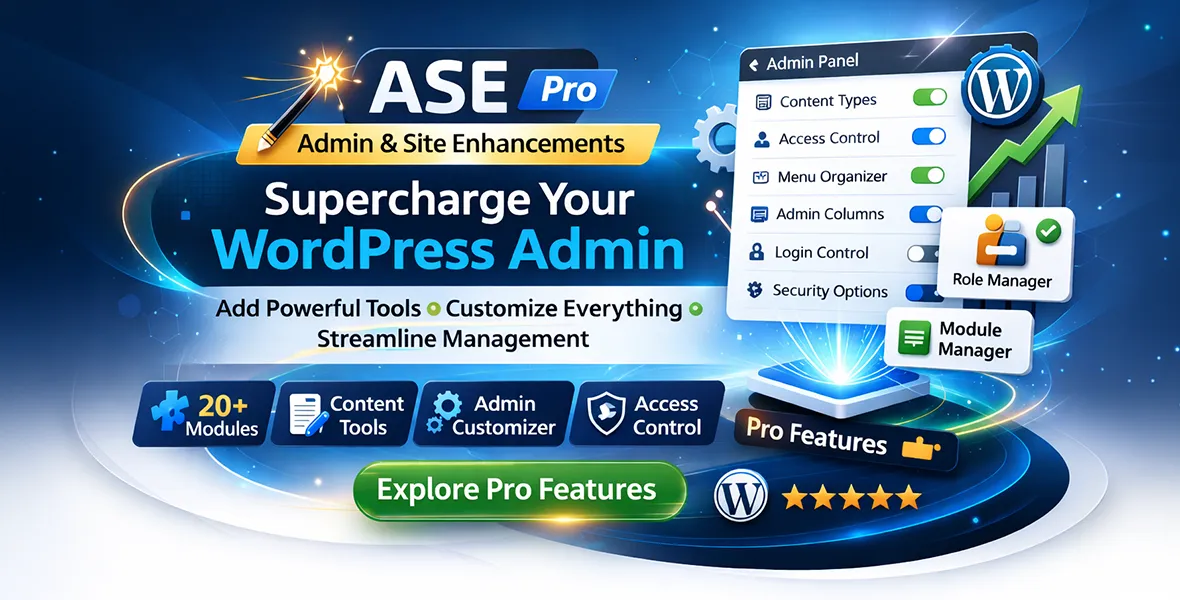
Admin and Site Enhancements (ASE) Pro
New versions delivered weekly. Install instantly from your WordPress dashboard — no ZIP uploads.
✓ Same as wp.orgPush directly to any site from your dashboard. Zero downloads, zero FTP, zero manual steps.
✓ Unlimited sitesAbout this plugin
Admin and Site Enhancements (ASE) Pro is an all-in-one WordPress plugin designed to give developers, freelancers, and site owners greater control over their WordPress admin area and front-end experience.
It bundles hundreds of handy tweaks into a single, well-organised dashboard, including a content order module for drag-and-drop post sorting and a login page customiser to match your branding. Compatible with WooCommerce and classic editor setups, ASE Pro is a brilliant time-saver for anyone managing multiple WordPress sites.
Version 7.8.10.1
- Added Datetime field and integrate with Oxygen Classic, Bricks, Breakdance and Elementor. Props to Pradnya T.P. for suggesting this improvement.
- [IMPROVED in Pro] Custom Code >> Code Snippets Manager: added "device type" conditional for CSS/JS/HTML snippets, which allows you to choose on which device(s) to load a snippet in, i.e. desktop / tablet / mobile. Props to Sreelal G. for prompting this improvement.
- Added new/improved translation for:
- Added option to select code editor theme between dark and light. Props to Jim W. for suggesting this improvement.
- Added new/improved translation for:
- Implemented code snippets export and import via ASE settings page's "Export | Import" panel. Props to Philippe G., Tanguy, Nicolas M., Dennis M., Jeremy L., Yasuyoshi T., Daniel, Simon and Hoang Hxn for suggesting this improvement.
- Added custom CSS for email templates. Props to Mathijs v.d.B. for prompting this improvement.
- Added new error message for the upload field when the PHP tmpfile() function is disabled / not available, which will cause uploads to fail. Props to Eric L. for propmting this improvement.
- [IMPROVED in Pro] Content Management >> Custom Content Types: added a warning message when rendering the [post_cf_form] shortcode in edit mode but no post ID has been set.
- Added new/improved translation for:
- ASE Pro: Added advanced options section to set custom label for password field and submit button. Props to Sébastien B. for propmpting this improvement.
- [IMPROVED in Pro] Utilities >> Maintenance Mode: added an option to insert custom <head> code, which is useful, for example, to load custom web fonts, e.g. Google Fonts. The font can then be used in the Custom CSS section for styling the text on the maintenance page. Props to Bent F. for prompting this improvement.
- Added new/improved translation for:
- [IMPROVED in Pro] Utilities >> Form Builder: improve accessibility by adding label for attributes for the email, website/URL, phone, text, textarea, number, range slider, spinner, star, NPS, dropdown, checkboxes, radio buttons, image select, date and time fields. This should also help improve Pagespeed Insights' Accessibility score for pages that has an ASE form in it. Props to Jakub X. for pro...
- [IMPROVED in Free and Pro] Admin Interface >> Enhance List Tables & Admin Columns Manager: the featured image column will now have the post thumbnail linking to the post edit screen. Props to Domenico M. for suggesting this.
- [IMPROVED in Free and Pro] Admin Interface >> Hide Admin Bar: add a notice in the module settings that says "The settings above will override the ‘Toolbar’ settings in the user profile edit screen.". This should help clear up confusion on which settings will take precedence when the Hide Admin Bar module is enabled. Props to Matt H. for reporting the issue.
- ASE Free: updated Vietnamese, Spanish (Spain), Spanish (Chile), Portuguese (Brazil), Polish, Indonesian, Dutch, Chinese (Taiwan).
- ASE Pro: updated Slovak, Hungarian, Romanian, Polish, Vietnamese.
- [IMPROVED in Pro] Custom Code >> Code Snippets Manager:
- [IMPROVED in Pro] Disable Components >> CAPTCHA Protection >> Comment Form: make sure CAPTCHA assets are not loaded when commenting is allowed on an individual post while disabled for the entire post type via the Disable Comments module.
- ASE Free: updated Vietnamese, Ukrainian, Spanish (Chile), Spanish (Spain), Slovak, Portuguese (Brazil), Polish, Norwegian, Indonesian, Dutch, Chinese (Taiwan).
- ASE Pro: updated Romanian, Portuguese (Brazil), Polish, Vietnamese.
- [IMPROVED in Free and Pro] Utilities >> Password Protection:
- [IMPROVED in Pro] Content Management >> Custom Content Types >> Custom Field Groups:
- [IMPROVED in Pro] Content Management >> Media Categories: the categories tree state are now saved and will be shown upon reopening the media library or after drag-and-dropping media items to a category / sub-category. Props to Jeroen, Nicola and Ramyt I. for prompting this improvement.
- [IMPROVED in Pro] Utilities >> Form Builder: form scripts and styles will now only be loaded on pages where a form is being shown. Props to Mathijs v.d.B. for prompting this improvement.
- ASE Free: Updated Vietnamese, Spanish (Spain), Portuguese (Brazil), Polish, Norwegian, German, Dutch, Danish.
- ASE Pro: Updated Vietnamese, Hungarian.
- [IMPROVED in Free and Pro] Admin Interface >> Enhance List Tables: the Last Modified column will now use the date and time format set in Settings >> General. Props to @st3phan5 for suggesting this.
- Improve the [[cf]] shortcode for gallery field when using the grid output so each thumbnail now links to the full size image URL. Props to Synapse A.I. S.L. for propmting this improvement.
- [FIXED in Pro] Custom Code >> Code Snippets Manager: fixed PHP fatal error on sites with PHP 7.4 that occurs since the addition of the PHP MobileDetect library in v7.8.10. Props to Pierro B., Lee H. and Courtney V. for immediately eporting the issue.
- [IMPROVED, CHANGED and FIXED in Pro] Content Management >> Custom Content Types:
- Fixed date field display inaccuracy in Bricks builder when the WP site language is set to non-English. Props to Daniel B. for reporting the issue with a screencast, which helped identify the root cause and the fix.
- [FIXED in Free and Pro] Admin Interface >> Wider Admin Menu: fixed an issue where Gravity Forms form edit screen's layout was shifted partially to the right. Props to Marv D. for repoerting the issue and facilitating the troubleshooting process.
- [FIXED in Pro] Content Management >> Content Duplication: fixed a PHP fatal error that occurs in a certain scenario when ASE custom field group is attached to a post. Props to Wilbert S. for reporting the issue.
- [IMPROVED and FIXED in Pro] Content Management >> Content Order:
- Fix PHP warning in a certain scenario involving 404 error pages. Pros to David B. for reporting the issue.
- [IMPROVED and FIXED in Pro] Custom Code >> Code Snippets Manager:
- Fixed snippet filtering not working when CSS type is selceted. Props to Jim W. for reporting the issue.
- [FIXED in Free and Pro] Log In/Out & Register >> Redirect After Login: fix a redirect issue when the target URL is an HTML page with .html extension. THe slash (/) suffix will no longer be appended, which will break the URL / redirect. Props to @hyzwar for reporting it.
- [FIXED in Free and Pro] Optimizations >> Image Upload Control: fix PHP warnings that occurs in a certain scenario. Props to @johnwebman for reporting the issue complete with the error log entries.
- [FIXED in Free and Pro] Admin Interface >> Enhance List Tables: fixed an issue where showing the excerpt column can break the layout of WooCommerce products list (or any list) when the excerpt contains some HTML that gets improperly truncated. Props to @adminfongyuan for reporting the issue.
- Fixed an issue where PHP snippets that contains certain code was being truncated upon saving. Props to Markus F. for reporting the issue and facilitating the troubleshooting process.
- Fixed an issue where PHP snippets that contains certain code was being malformed upon saving, causing the snippet to churn out an error. Props to Emile V. for reporting the issue and facilitating the troubleshooting process.
- Fixed an issue where snippet description editor is not loaded properly in the snippet edit screen. Props to Jim R. for reporting the issue and facilitating the troubleshooting process.
- Fixed a JS error when editing PHP snippet.
- Fixed PHP warning that occurs when saving a JS snippet with certain options
- [IMPROVED and FIXED in Free and Pro] ASE Settings:
- ASE Pro: Fixed an issue where settings can not be imported when Admin Menu Organizer module is not enabled. Props to Hoang Hxn. for reporting the issue.
- ASE Pro: Fixed an issue where translations are not properly loaded when the Form Builder module is enabled. Props to Hoang Hxn. for reporting the issue.
- [IMPROVED and FIXED in Pro] Utilities >> Form Builder:
- Fixed an issue where form preview are devoid of any styling after v7.8.7 release. Props to John E. for prompting the fix.
- Fixed an issue where form inserted with the form block in the block editor is devoid of any styles. Props to John E. for prompting this fix.
- Fixed PHP warnings when sending test emails.
- [FIXED in Free and Pro] Log In/Out & Register >> Change Login URL: fixed a conflict with Gravity Forms causing the file upload field, when set to upload multiple files, to fail with a JS error. Props to Henry R. for reporting the issue.
- [FIXED in Free and Pro] ASE Settings Export / Import will now include the settings for the Admin Menu Organizer module after recent change where the module settings has moved into it's own admin page. Props to Hoang Hxn for reporting the issue.
- [FIXED in Pro] Admin Interface >> Admin Columns Manager: fixed an issue where sortable Meta Box columns were not shown as sortable due to recent changes in how Meta Box AIO started including the Meta Box framework. Props to David D. for reporting the issue and facilitating troubleshooting.
- [FIXED in Pro] Utilities >> Display System Summary: added potential fix to prevent error when calculating varioius folder sizes. Props to @jh for reporting the issue and facilitating troubleshooting.
- [FIXED in Pro] Admin Interface >> Show Custom Taxonomy Filters: fix an issue where search is broken for posts while filter(s) for non-hierarchical taxonomies are enabled. Props Grzegorz K. for reporting the issue.
- [IMPROVED and FIXED in Pro] Content Management >> Custom Content Types:
- Added integration of the repeater field into Elementor Pro. This is done via the Loop Builder widget and the Loop Item template. View documentation for more details. Please test and open a support ticket if you see any bugs / issues.
- [SECURITY FIX in Free and Pro] Custom Code >> Insert <head>, <body> and <footer> Code fixed Stored XSS vulnerability reported by @ha1s3nb3rgg.
- [FIXED in Free and Pro] Log In/Out & Register >> Change Login URL: fixed a bug where uploading a file on the frontend in Gravity Forms by a non-logged-in user fails due to recent security fix in Change Login URL. Props to Bernd for reporting the issue with sufficient technical details.
- [FIXED in Pro] Security >> Email Address Obfuscator: fixed an issue where email address was not automatically obfuscated in an Elementor text widget. Props to Linda H. for reporting the issue.
- Changed date picker library froom bootstrap-datepicker to flatpickr. This is the same library used for the new datetime field, so, it streamlines assets requirements and UI/X.
- [TRANSLATION in Free and Pro] ASE is now being translated into 32 languages:
- ASE Free: Vietnamese, Portuguese (Brazil), Polish, Norwegian, Indonesian, French, Dutch.
- ASE Pro: Danish, Czech, Norwegian, Hungarian
- When enabling content ordering for ASE code snippets, the 'View' button will no longer be shown as there is no frontend view for code snipepts, so, clicking on it would've shown a 404 error page. Props to Jim W. for prompting this change.
- Trashed snippets will now be deactivated properly. Props to Jim W. for suggesting this improvement.
- [TRANSLATION in Free and Pro] ASE is now being translated into 31 languages:
- ASE Free and Pro: Implement modules live search, so you can more easily and quickly get to the module settings you need. Props to wpman, Todd, Max Z. and Nathan I. for prompting this improvement.
- [CHANGED in Free and Pro] Translations: make sure that translations are always loaded from the included .mo files. Props to Hoang Hxn for prompting this improvement.
- [TRANSLATION in Free and Pro] ASE is now being translated into 31 languages:
- ASE Pro: Color of the "View Content" button will now follow the one set in the Login Page Customizer module. Props to Sébastien B. for propmpting this improvement.
- ASE Free and Pro: Error messages are now internationalized, i.e. translatable. Props to Sébastien B. for propmpting this improvement.
- Date field format will now be honored when displaying a date field in Breakdance builder. Props to Radoslaw B. for the detailed reporting of the issue which includes environment data, current vs expected behaviour, technical details and steps to reproduce the issue.
- "Line Break" label when a line break field is inside a repeater will no longer show up in the edit screen.
- The 'Instructions' option when editing a "Line Break" field will no longer be displayed.
- [TRANSLATION in Free and Pro] ASE is now being translated into 31 languages:
Key features
- Content Duplication: Duplicate pages, posts and public custom post types, with role-based limits and a location option for duplication links.
- Content Ordering: Drag and drop ordering for hierarchical post types, with support for non-hierarchical post types, media, and frontend order display.
- Media Visibility Control: Limit media files so only administrators see all files, while other users see only their own uploads.
- Media Replacement: Replace media files without breaking existing links, including replacement from the media library grid and sub-sizes inside posts.
- SVG and AVIF Uploads: Allow selected user roles to upload SVG files with sanitisation and enable AVIF uploads in the Media Library.
- External Links Options: Point pages, posts and custom post types to external URLs and open external links in a new browser tab.
- Admin Menu Editing: Change admin menu order, rename items, hide items, and add custom menu and submenu items.
- Login and Redirect Controls: Change the login URL, restrict login ID type, and set custom redirect URLs after login or logout.
- Custom Code Management: Manage CSS, SCSS, JS, HTML and PHP snippets, and insert code into the head, body and footer.
- Disable Site Components: Disable Gutenberg, comments, REST API, feeds, embeds, and other selected components for applicable post types.
- Scanned with ClamAV 1.4.6
- Scanned on 26 Oct 2026
- Signatures from 26 Oct 2026
Billed monthly · cancel anytime
Billed $139.00 yearly · cancel anytime
Unlock full access Billed $8.95/mo · 6,000+ resources Unlock full access Billed $139.00/yr · 6,000+ resources- 6,000+ GPL resources
- 30+ genuine WP licenses (special purchase)
- Daily auto-updates via Auto Updater
- Use on unlimited domains