
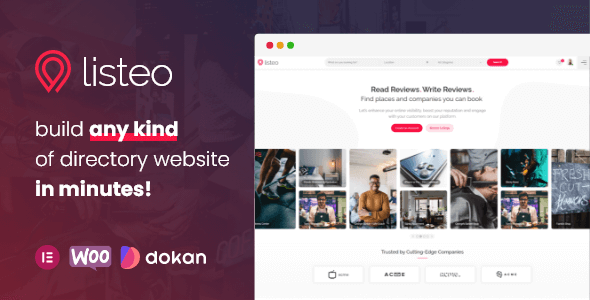
Listeo – Directory & Listings With Booking
Pre-activated
Download
Version
2.3.0
Changelog
Updated
Auto-update
Yes
How it works
AUTO-UPDATE ENABLED
Premium feature
Updates & install — both one click
Powered by GPL Downloads Auto Updater · Native WordPress integration · Included free
01 · UPDATES
Auto-updates, one click
New versions delivered weekly. Install instantly from your WordPress dashboard — no ZIP uploads.
✓ Same as wp.org02 · INSTALL
Auto-install, one click
Push directly to any site from your dashboard. Zero downloads, zero FTP, zero manual steps.
✓ Unlimited sitesVS OTHER GPL PROVIDERS
✕ Manual ZIP downloads✕ FTP / cPanel uploads
→
✓ One-click everything✓ Native WP dashboard
Included free in your All Access plan
Learn more →
File scan
Clean
Details
Members can request updates and report problems from here.
About this theme
Listeo is a WordPress directory and listings theme designed for entrepreneurs and small business owners who want to build a fully featured booking platform.
It lets you create classified directories, accept reservations directly on the site, and manage listings easily. Compatible with WooCommerce for payments and Google Maps for location display, Listeo is perfect for travel directories, local business guides, and rental platforms — all without needing to hire a developer.
Changelog
Version 2.3
2 new9 improved13 fixed2 security
New
- Setup Wizard: new Demo step after the license. Besides the Multi Purpose demo (the full listeo.pro demo, imported exactly as before) you can pick a themed demo: Car Dealers, Doctors or Rentals. A themed demo brings its own listing types, taxonomies with their terms and Make > Model relations, listing fields, Add Listing and search forms, about 30 to 60 listings with photos, their fictional owne...
- New option Customize > Blog > Blog Options > "Blog posts style": List (default, unchanged), Grid with 2 columns or Grid with 3 columns. It applies to the blog page, category and tag archives and blog search results, so they all look the same. In the grid, each post is a card with the featured image above the title, author, excerpt and Read More link. The sidebar and pagination stay as they are....
Improved
- Setup Wizard: running the Content step again first removes the demo content imported before (any demo), so two demos never mix. The wizard shows what will be removed and asks for confirmation; only items the import created are deleted (media files included), settings go back to their values from before the import, and pages or listings you changed after the import are kept unless you tick them....
- Styles for the new Listing Fields section layouts of Listeo Core: Highlights (icon on top, bold value, small label, 2 to 6 columns that shrink on tablets and phones, or exactly the columns set per device in the Elementor widget), Table (label and value rows with divider lines) and collapsible sections (headline with a turning arrow, no script). Dark mode and RTL included; sections without these...
- Styles for the new search form elements of Listeo Core: "Buttons (pick one)" (a row of buttons in the main color, as tall as the selects in every form type), "Select: up to / from", the result count on the search button, dark mode and RTL. Requires the Listeo Core update.
- Sidebar search: every range slider (Year, Mileage and other number fields) now sits in the same box as the price slider, and in custom sidebar forms these boxes line up with the selects instead of being indented.
- Category custom search fields work within each search form when a page has several of them (Listeo Elementor Search Card). Requires the Listeo Core update.
- Styles for the new number and unit display of listing fields, field labels on listing cards and taxonomies shown as tags inside the listing details. Requires the Listeo Core update.
- Range sliders in search forms are set up one by one: each shows its own unit (or the currency for the price) and the Enable/Disable link affects only its own slider. Needed for the new number sliders in Listeo Core.
- Single blog posts can now use a different layout from the blog index and the category archives. Previously one setting, Customize > Blog > Blog Options > "Blog layout", controlled single posts, the blog index, archives and search results together, so a wider single post was not possible without changing all of them. A new "Single post layout" option sits next to it and defaults to "Same as Blog...
- Styles for the side-by-side From/To search element (two equal columns, long labels cut with an ellipsis, RTL) and the disabled look of chained selects (for example Model before a Make is chosen) in the sidebar, half-map and main search forms, including dark mode. Requires the Listeo Core update.
Fixed
- Setup Wizard: opening the Content step (even without importing, or skipping it) replaced the colors and fonts of the active Elementor kit with Roboto and green defaults. The kit is now written only by the import itself, in its last item "Finish", with the same values as before.
- Setup Wizard: a listing gallery entry whose image was not part of the demo was saved under the ID 0, so several of them collapsed into one broken entry. Such entries are now left out.
- Setup Wizard: with WP_DEBUG display on, the Support step (and the import's last item) showed a block of Elementor PHP warnings such as "Undefined array key button_background_position_tablet" while the Elementor kit CSS was rebuilt. The wizard built the kit settings without the per-device (tablet, mobile) controls Elementor uses when it writes CSS. It now builds them the same way Elementor does,...
- Setup Wizard: term settings with several rows (for example the parent terms of a related taxonomy) kept only their last row, and term images were not linked to the imported images. All rows are written now, with the image IDs of the import.
- Setup Wizard: the final link repair pass over all imported posts ran in one request and could time out on slow hosts. It now runs in batches of 25 posts in the new "Finish" item.
- Outline (line) SVG icons, such as Tabler or Lucide icons, uploaded as category or term icons showed as solid shapes or a solid square in category tabs, icon boxes, map pins, listing type icons, highlighted categories and feature icons. They now render as outlines in the theme color; filled icons look the same as before. Icons with a transparent bounding square (Material, Tabler filled) no longe...
- The radius switch (Disable) of a Search Card or other search form with its own form ID no longer reloads a Listings widget on the same page. Requires the Listeo Core update.
- Search forms: choosing an option of a dropdown inside an openable panel (for example the From/To dropdowns of an Openable Panel in the half map search form) closed the panel before the choice could be checked or applied. The option was handled like the panel's own toggle link. The panel now stays open. The open list of such a dropdown was also cut off by the panel's scroll box; it now shows in...
- Setup Wizard: on some servers the imported main menu came out flat (submenu items such as List Layout, Grid Layout, User Profile or 404 Page shown side by side in the header, and the page links missing). The import kept its old-to-new ID maps in transients, which a persistent object cache (Redis, Memcached, LiteSpeed) holds only in memory: when the cache was flushed during the import, menu item...
- The search box inside long dropdowns of search forms (more than 8 options, for example Make) was wider than the list and had a large bottom margin in sidebar forms.
- Setup wizard: the demo's Add Listing forms, listing types, home slider, social icons and body font were never imported. A loop variable overwrote the option name, so the values were saved under wrong names. They are now imported, and the stray options are no longer created.
- Customizer > Listings: the default archive layout now shows "Map on top", which is what the archive uses when the setting was never saved (the old default was not one of the choices). Nothing changes on the front end.
- Updating plugins in bulk from Appearance > Install Plugins could end in "Object of class WP_Error could not be converted to string" and leave the whole site, wp-admin included, showing "Briefly unavailable for scheduled maintenance" for ten minutes. It happened when one of the selected plugins required a newer PHP or WordPress version than the server has: since WordPress 6.3 the updater reports...
Security
- SVG files could carry script inside comments or processing instructions that the SVG sanitizer left in place; inline SVG icons (category icons, field icons) could run it. The sanitizer now removes them, and cached copies are rebuilt.
- Behaviour change: SVG uploads are allowed only for users who may post unfiltered HTML (administrators, and editors on single sites). Listing owners and authors can no longer upload SVG files. The listeo_allow_svg_upload filter changes who may.
Security scan
No threats found in 2 files
- Scanned with ClamAV 1.4.6
- Scanned on 5 Nov 2026
- Signatures from 5 Nov 2026
Listeo Theme
20.3 MB
SHA-256
3fedcefd5f10dc3dd19b1f816610b3d48ebd36360ad46129fbbe7f003189eb9a
Listeo Package
20.8 MB
SHA-256
38af790c0c9111ee0d9d6ff231bfec6a6f8ce999c50a9a202b8f048ef9bd3f0f
Premium Resource
$8.95
/mo
$139.00
/yr
Billed monthly · cancel anytime
Billed $139.00 yearly · cancel anytime
Unlock full access Billed $8.95/mo · 6,000+ resources Unlock full access Billed $139.00/yr · 6,000+ resources
7-day money-back
Instant access
View all pricing
Membership includes
- 6,000+ GPL resources
- 30+ genuine WP licenses (special purchase)
- Daily auto-updates via Auto Updater
- Use on unlimited domains